 Stanley For 𝕏Details
The world’s first AI Head of Content for Twitter that does more than just “write tweets”. He helps you think, plan, write and execute. Built on the systems of a real ghostwriter.

OpenClaw is an open-source AI agent that automates tasks, controls your browser, manages files, and connects with messaging apps.
**OpenClaw – Your Personal AI Agent for 24/7 Automation**
OpenClaw, formerly known as Moltbot and Clawbot, is an open-source personal AI agent designed to turn your computer into a powerful automation assistant. It allows you to interact with your computer and manage tasks through familiar messaging platforms such as WhatsApp and Telegram, helping you streamline everyday workflows without constantly switching between applications.
With OpenClaw, you can automate repetitive tasks, control your browser, execute shell commands, manage files, and connect different applications through a single AI-powered assistant. Its persistent memory helps maintain context across interactions, making it useful for ongoing projects, daily tasks, and personalized workflows.
OpenClaw supports integrations with a wide range of services and tools, allowing users to build customized automation systems for productivity, development, research, and personal task management. Depending on its configuration and permissions, it can perform computer operations, run commands, interact with websites, and coordinate multi-step tasks.
Privacy-conscious users can run OpenClaw on their own hardware, giving them greater control over their data and configuration. However, privacy depends on the AI provider, connected services, and deployment settings. Because OpenClaw can access sensitive files and execute commands, users should configure permissions carefully and follow security best practices.
Whether you are a developer, business owner, automation enthusiast, or productivity-focused user, OpenClaw provides a flexible way to build a personal AI assistant that works around the clock.
**Discover a smarter way to automate tasks, connect your favorite tools, and manage your digital workflow with OpenClaw.**
Similar
Stanley For 𝕏Details The world’s first AI Head of Content for Twitter that does more than just “write tweets”. He helps you think, plan, write and execute. Built on the systems of a real ghostwriter.
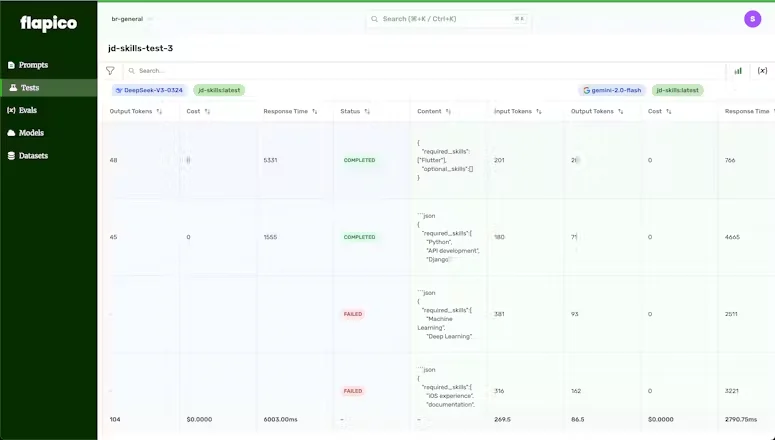
 FlapicoDetails
 Flapico lets you version, test & evaluate your prompts, and makes your LLM apps reliable in production. 🔓 Decouple your prompts from your codebase 📊 Quantitative tests, instead of guesswork.
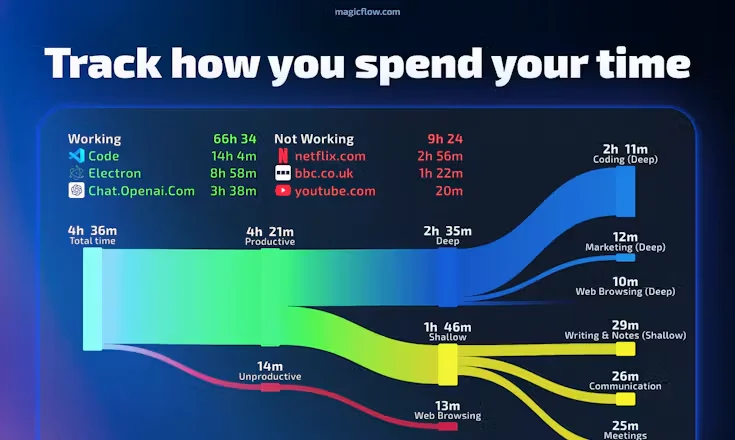
 MagicflowDetails
 Track and eliminate productivity blockers like context switching, short work sessions, and poor sleep or exercise habits to improve your focus and flow.